DrawPets · free · Windows, Linux, Android and your browser
Play DrawPets
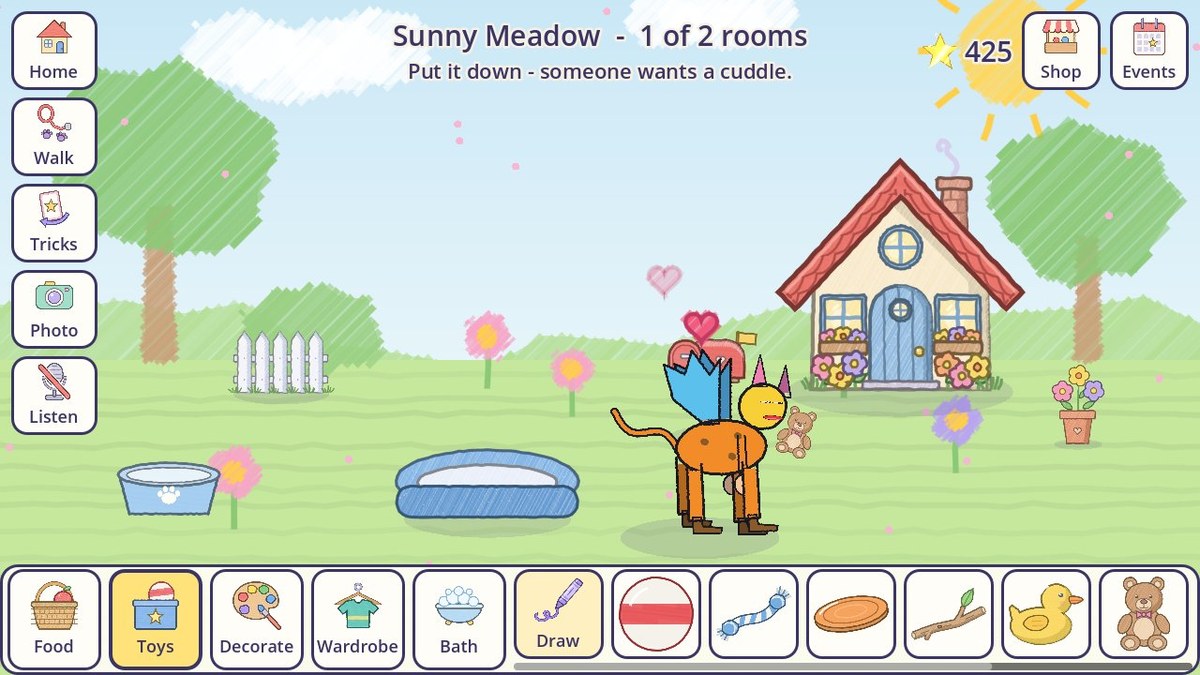
Draw a creature part by part - a head, legs, wings, a tail, anything - and it comes alive. Then it's yours to look after: feed it, play with it, take it for walks and give it a home of its own.
On Windows and rather not install anything? Get the portable zip, unzip it somewhere like Documents and run DrawPets.exe.
On an Android phone or tablet
For a grown-up - it takes a minute.
- On the phone or tablet, open this page and tap Download for Android.
- When it has downloaded, tap DrawPets.apk to open it.
- Android asks whether your browser may install apps. Tap Settings, turn on Allow from this source, go back, and tap Install.
- Open DrawPets from the home screen.
Android might say it doesn't recognise the app. That's because it comes from this page rather than the Play Store. Tap More details, then Install anyway.
Updates: when a new version is out, DrawPets says so on its home screen. Download it here again and install it over the top - the pets stay.
On an iPad, iPhone, Chromebook or Mac
Nothing to install - it plays in the browser. One step for a grown-up keeps the pets safe:
- Tap Play in your browser and wait for DrawPets to load.
- On an iPad or iPhone, tap the Share button, then Add to Home Screen. On a Chromebook or computer, use the browser's Install button by the web address.
- From then on, open DrawPets from the Home Screen or app list.
Why the Home Screen matters: a browser keeps a web game's pets in its own storage. Safari clears a website's storage if it isn't visited for a week - unless it was added to the Home Screen. Clearing the browser's data deletes the pets too.
Swapping pets works between two browsers on the same Wi-Fi: one shows a code, the other scans it. The pets go straight from one device to the other.
On Windows
- Run DrawPets-Setup.exe. It installs in a few seconds, with no admin password needed.
- Start DrawPets from the desktop shortcut or the Start menu.
- The mouse is your finger: click to tap, and hold the button to draw and stroke.
Windows might say "Windows protected your PC". That's because this game isn't from a big company. Click More info, then Run anyway.
It keeps itself up to date. Each time it starts, it checks for a new version and installs it by itself.
For grown-ups
- No ads, no accounts, and nothing to buy with real money.
- Everything a kid draws or records stays on their own device.
- Kids can swap pets with a friend who is right next to them - phone to phone, never through the internet.
- The only thing the game asks the internet is whether there's a newer version.
- No AI anywhere: every pet is the kid's own drawing.
On Linux
- Download DrawPets-linux.tar.gz and unpack it.
- In a terminal in the unpacked folder, run ./install.sh. It adds DrawPets to your app menu, with no password needed.
- Start DrawPets from your app menu.
It keeps itself up to date, the same as on Windows. To remove it, run ~/.local/share/DrawPets/install.sh --uninstall.